
and the tooltip which contain the help information .

and tooltip which contain the image.

The Css used for this tooltip which i have changed is takend from Itookia
{
StartColorStr=#ffffff, EndColorStr=#cecfde);
width: 300px;
font-size: 11px;
padding-left: 5px;
border: 1px solid #7b9ebd;
visibility: hidden;
}
.TitleClass
padding: 6px 0 4px 10px;
font: bold 12px Trebuchet MS ,Arial;
float: left;
clear: both;
width: 100%;
}
.mainParagraphClass
font: normal 12px Trebuchet MS, Arial;
padding: 0 2px 6px 20px;
margin: 0;
float: left;
}
.MainImageClass
{
font: bold 12px Trebuchet MS ,Arial;
margin-right: 10px;
border: #BDBDBD 1px solid;
float: left;
}
The javascript code which i have modified is
showTooltip = function (strTitle,strText,strHelpText,strhelpImage,strmainImage)
{
if (lastTooltip==null)
{
var newDiv = document.createElement("div");
newDiv.className='newDivClass';
var title = document.createElement("span");
title.className='TitleClass';
var titleText = document.createTextNode(strTitle);
title.appendChild(titleText);
var mainParagraph = document.createElement("p");
mainParagraph.className='mainParagraphClass';
if (strmainImage)
{
var mainImg = document.createElement("img");
mainImg.setAttribute("src",strmainImage);
mainImg.className='MainImageClass';
mainParagraph.appendChild(mainImg); }
var mainText = document.createTextNode(strText);
mainParagraph.appendChild(mainText);
newDiv.appendChild(title);
newDiv.appendChild(mainParagraph);
if (strHelpText)
{
var horLine = document.createElement("hr");
horLine.style.width='96%';
horLine.style.clear='both';
var helpDiv = document.createElement("div");
helpDiv.style.styleFloat='left';
helpDiv.style.cssFloat='left';
helpDiv.style.clear='both';
helpDiv.style.paddingLeft='6px';
helpDiv.style.height='24px';
if (strhelpImage)
{
var helpImg = document.createElement("img");
helpImg.setAttribute("src",strhelpImage);
helpImg.style.marginRight='8px';
helpImg.style.verticalAlign='middle';
helpDiv.appendChild(helpImg);
}
var helpText = document.createTextNode(strHelpText);
helpDiv.appendChild(helpText);
newDiv.appendChild(horLine);
newDiv.appendChild(helpDiv);
}
lastTooltip=newDiv;
if (document.addEventListener)
document.addEventListener("mousemove",moveTooltip, true);
if (document.attachEvent)
document.attachEvent("onmousemove",moveTooltip);
var bodyRef = document.getElementsByTagName("body").item(0);
bodyRef.appendChild(newDiv);
}
};
moveTooltip = function (e)
{
if(lastTooltip)
{
if (document.all)
e = event;
if (e.target)
sourceEl = e.target;
else if (e.srcElement)
sourceEl = e.srcElement;
var coors=findPos(sourceEl);
var positionLeft = e.clientX;
var positionTop = coors[1] + sourceEl.clientHeight + 1;
lastTooltip.style.top=positionTop+'px';
lastTooltip.style.left=positionLeft+'px';
lastTooltip.style.visibility='visible';
}
}
hideTooltip = function ()
{
var bodyRef = document.getElementsByTagName("body").item(0);
if (lastTooltip)
bodyRef.removeChild(lastTooltip);
lastTooltip=null;
};
function findPos(obj)
{
var curleft = curtop = 0;
if (obj.offsetParent)
{
curleft = obj.offsetLeft
curtop = obj.offsetTop
while (obj = obj.offsetParent)
{
curleft += obj.offsetLeft curtop += obj.offsetTop
}
}
return [curleft,curtop];
}
and the javascript function calls for all the above image show are
onmouseout="hideTooltip()"
onmouseover="showTooltip('Simpe tooltip with additional info','This is simple tooltip with additional help info.','Press F1 for more help.','help.png','')"
onmouseout= "hideTooltip()"
onmouseover="showTooltip('Complex tooltip','This is complex tooltip with image.','Press F1 for more help.','help.png','graf.png')"
onmouseout="hideTooltip()"
Hope you will like this post for the tooltip in asp.net using javascript :)
you can now download source code from here


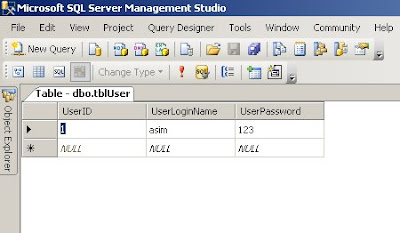
 No when i execute the sqlcommand for dynamic query which use the concatenation of the values with the string and generate the query you can see clearly in the image blog that it will give Exception of
